Building Ruby: a personal finance conversational assistant powered by AI
2025
Conversational UX
Background
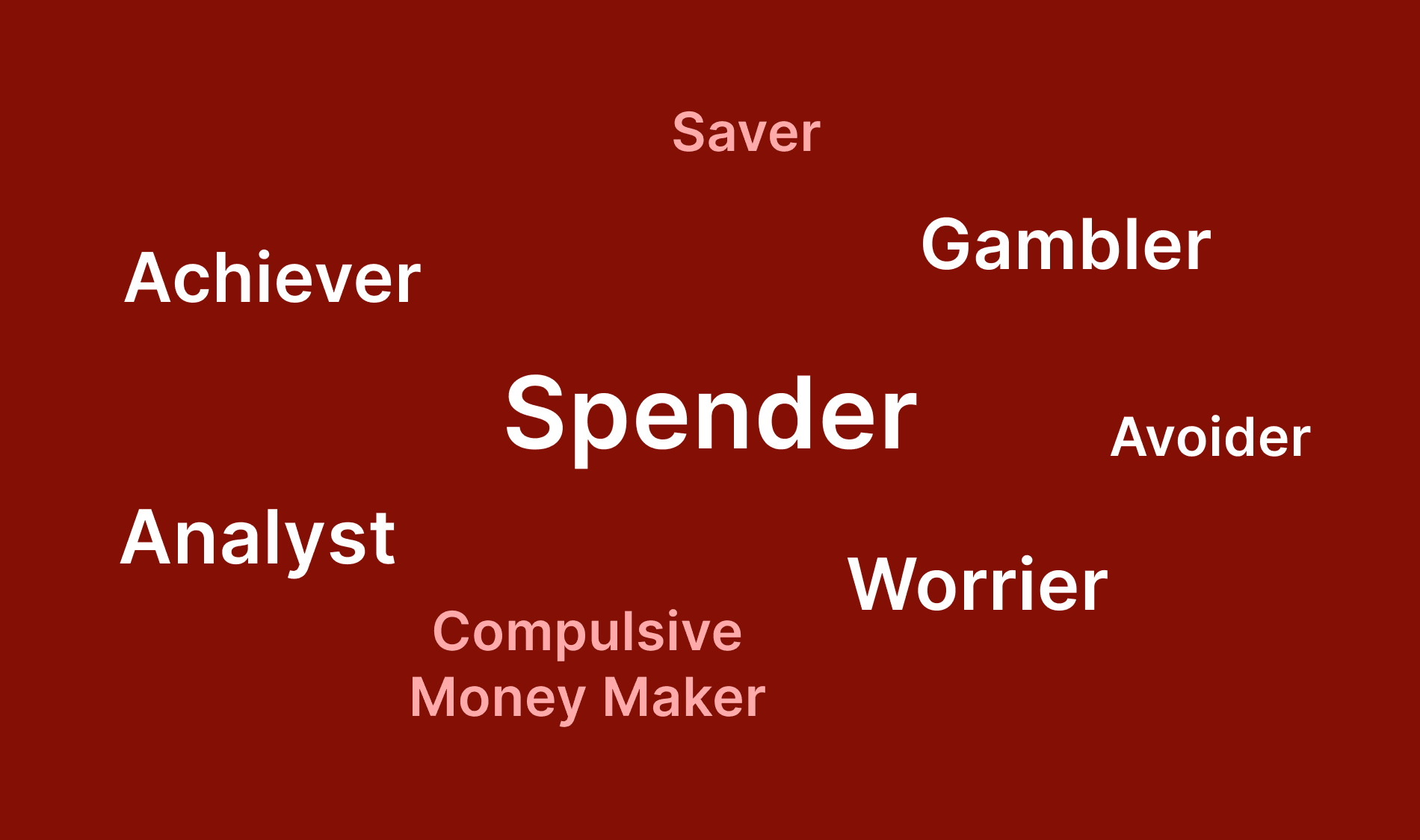
Money is a sensitive topic. We cannot always have open conversations with friends or family about your earnings, expenditure and savings. When the conversation took over in our class about final projects, I asked myself "How can someone benefit from a chatbot (chat or voice format)?" and this was one of the ideas I wanted to execute. In order to build a bot for this project, I had to understand the different personality types very clearly. Here are the common buckets of classification of individual financial behaviours:
Curious to try it? Checkout Voiceflow prototype
Money personality types
Ruby's personality
When thinking about a bot with a personality to have serious financial conversations with, the answer is straightforward:
Cheerful
“Great news! You're doing really well with your spending!”
Encouraging
“You’ve taken 12 PATH rides this week. You’re $5 over your transit target — want to adjust next week or keep it?”
Optimistic
“The good news is that once we see where your money is going, we can work together to create a plan that feels manageable for you.”
Supportive
“You're showing excellent financial discipline by keeping your expenses well below your income.”
Currently out of scope:
A Financial “bestie”
“Lizzo budgeted relentlessly in her early years before breaking out.”
Below are Ruby's planned functionalities
Let's say that the user's want to budget and discuss saving strategies. This assumes that the bot has the ability to read the user's spending patterns and discuss them openly with smart suggestions on top.
For the scope of this project, I am assuming that the chabot is a part of a bank application on the user's mobile because:
It is easily accessible
The bot has full visibility into the user's financial habits associated with that particular institution.
Hence, we will be diving deeper into the following functionalities:
Create FInancial Goals
This is a form of budgeting feature offered by some banks (like Chase) with a specific saving target in mind. When in need of something that was not previously accounted for, it can be considered an impulse purchase without a clear understanding of priority. For users who prefer to plan expenses ahead of time and with prefer to have control over it, this function can be very helpful.
Get Monthly Recaps
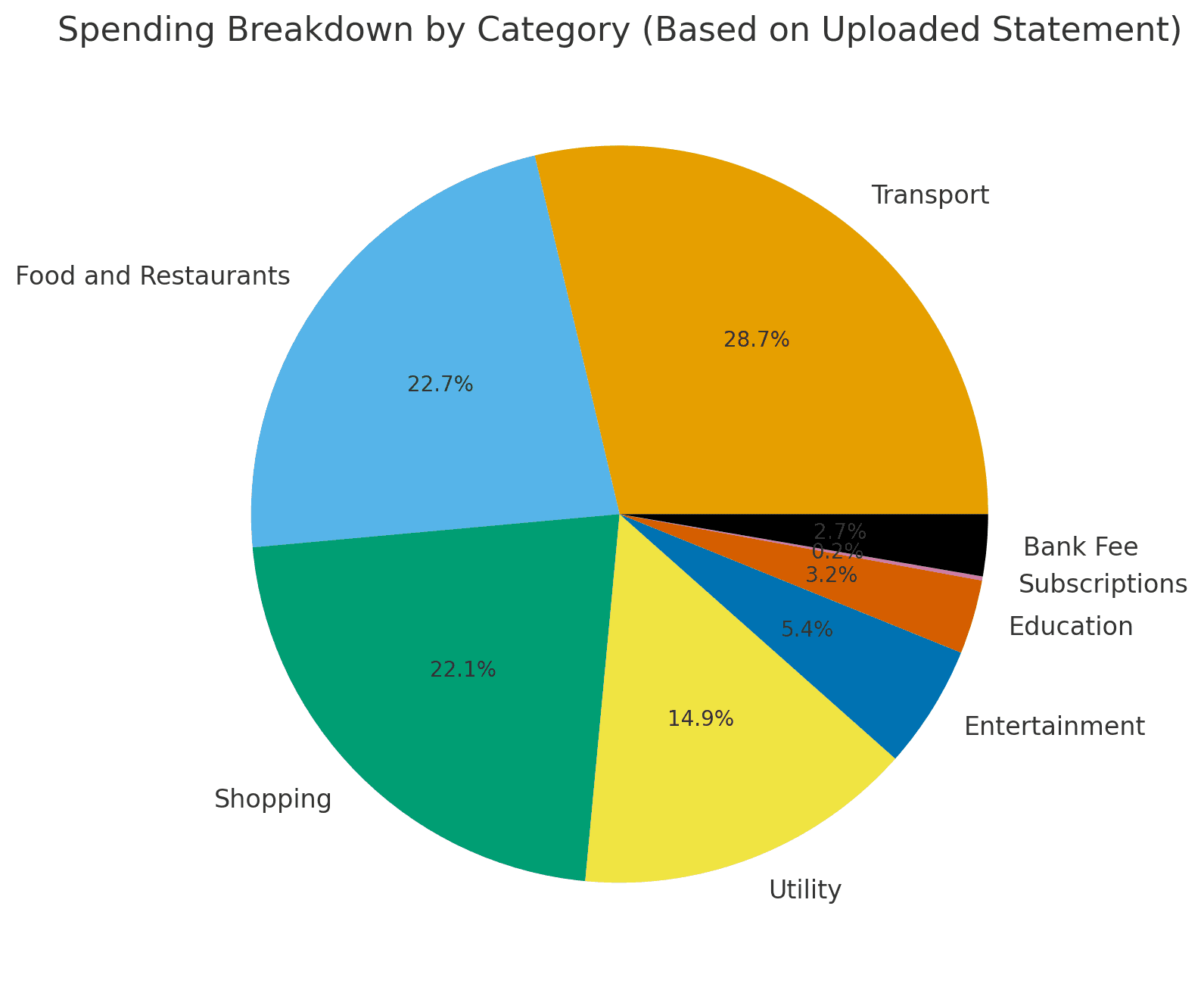
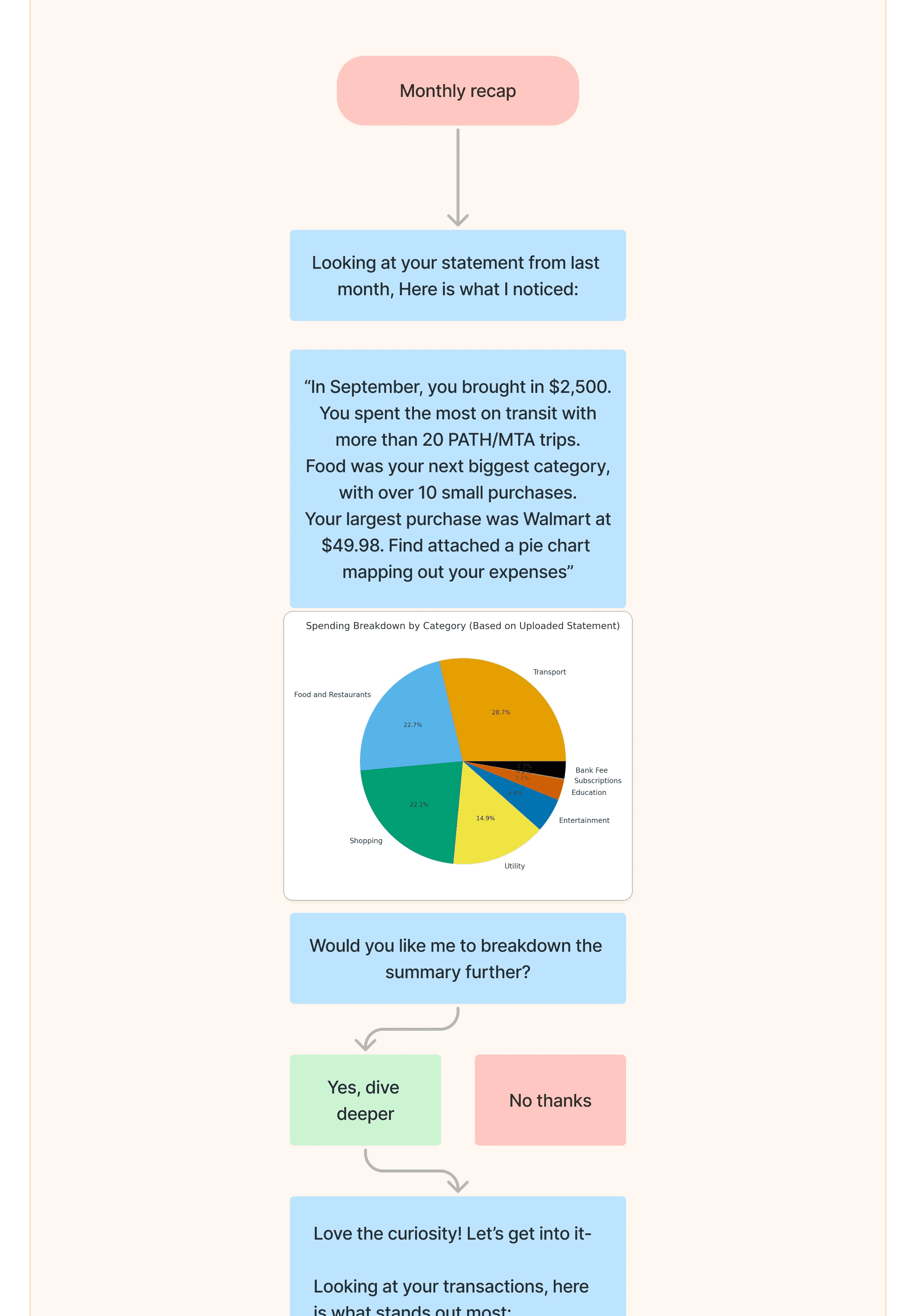
Monthly recaps include a breakdown with visualisation of how monthly spendings look like and the different categories you spend in.
Here is an example created from an example expenses sheet:
Plan Weekly Budgets
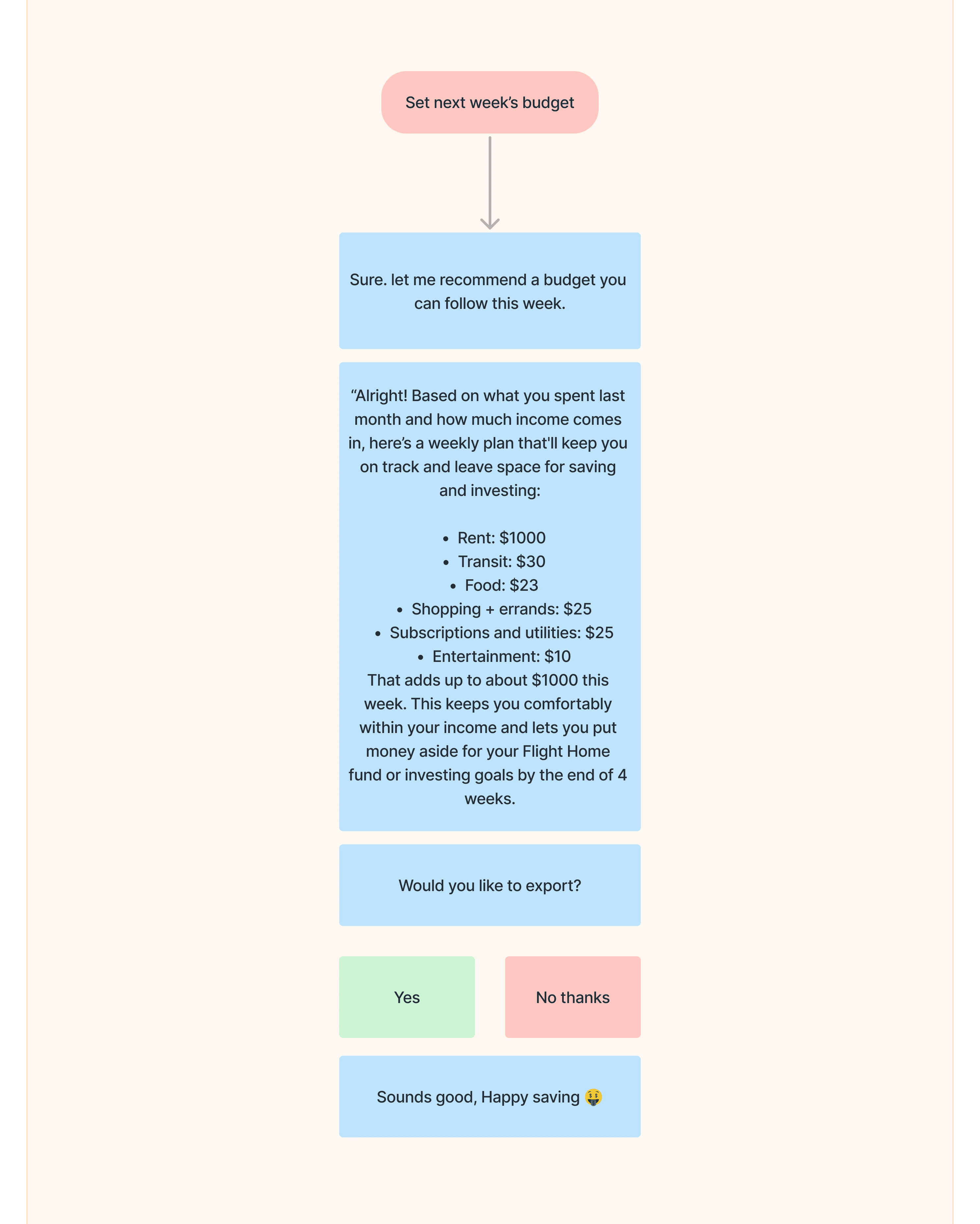
This feature came into play when I realised that Ruby has the monthly spending information and the user’s financial goals. Ruby can now help budget on a weekly basis too.
Spending Summaries
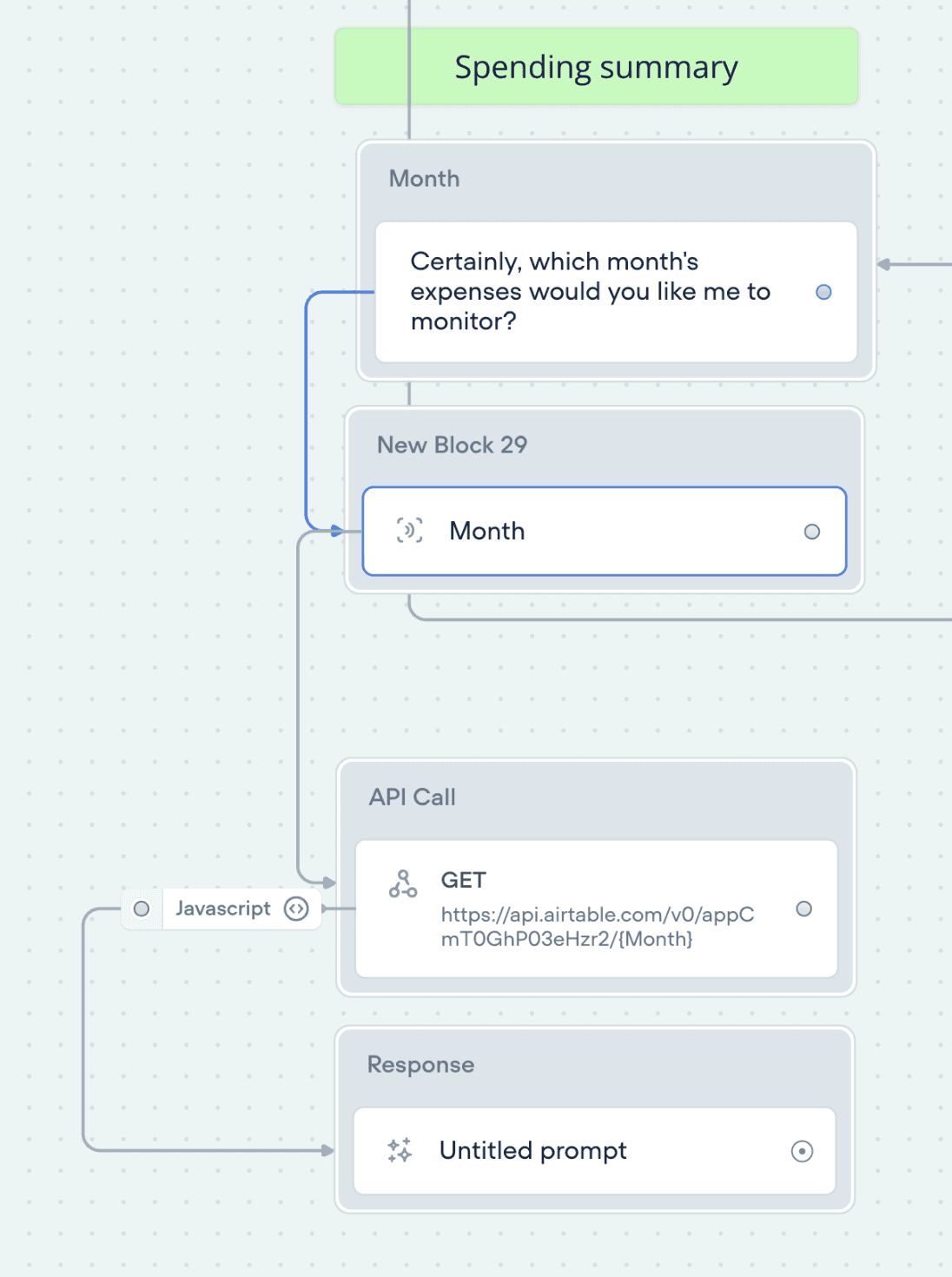
With a deep curiosity for Voiceflow’s API block feature and development capabilities, I wanted to include a functionality for the bot which could be predominantly a voice-chat and also has the potential to be a Widget integrated with mobile OS.
When you say “Hey Ruby, what’s my spending been like this past week?”, Ruby goes over your data (which I have saved in Airtable for the sake of the prototype). Using an AI-prompt, I then generate a friendly and supportive message for the user.
Acts as a quick recap from your mobile home-screen too.
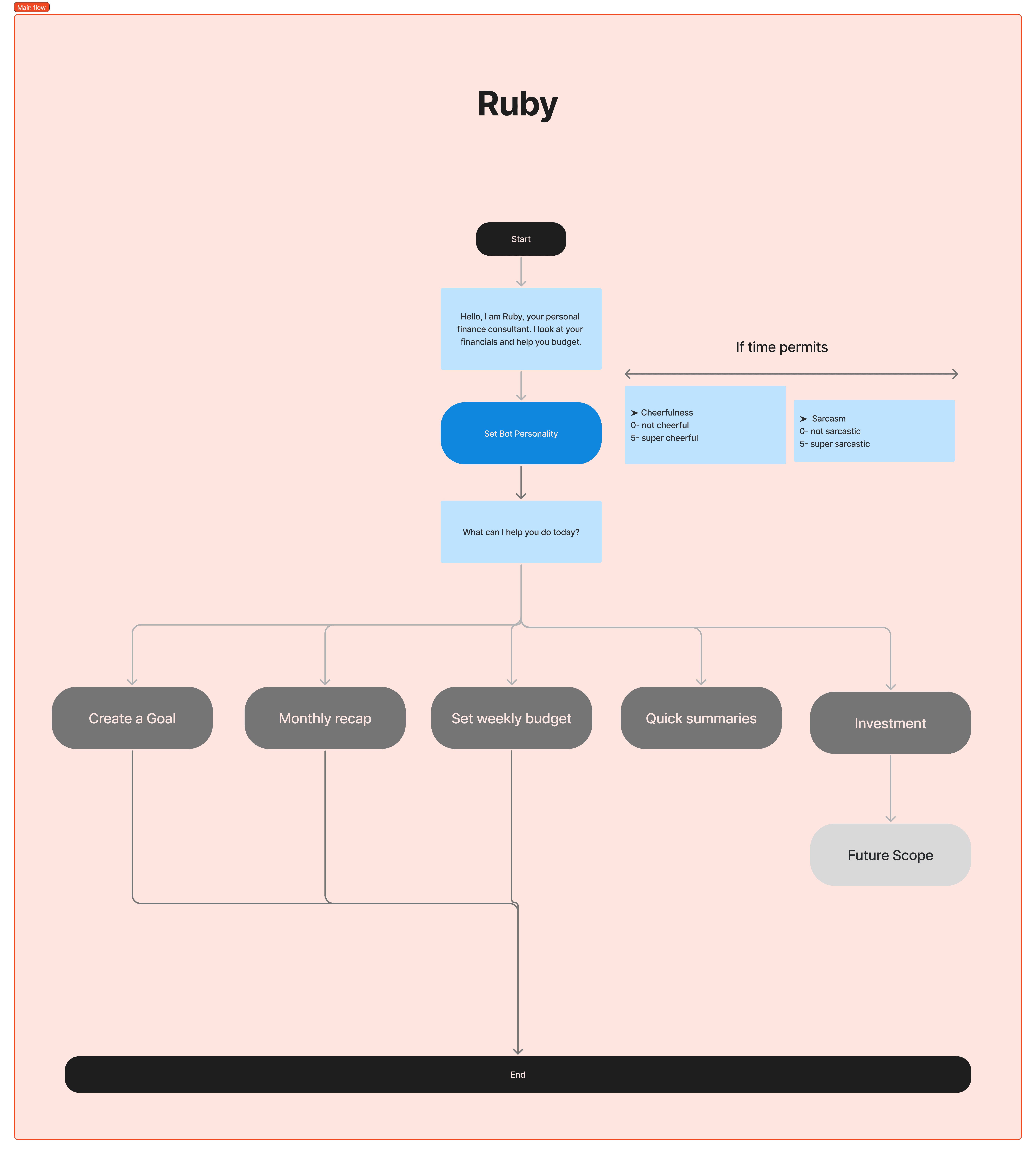
Now let's map out the dialogues
Main flow 👇

Create a Goal Path
Usually Financial goals are commitments that cannot be met in the present but needs to be achieved in the future. A user’s goal can be anything but it has three components.
❓ What are they saving for?
⏰ What is the time available to save?
🤑 Amount that needs to be saved
Monthly Recap Path
This includes a Monthly recap with a pie chart breakdown of last month’s expenses. It allows for a user path to also set a weekly budget for friendly yet helpful conversation continuation.
Weekly Budget Path
As shown below, this feature lets users set weekly budgets and have an idea of what the weekly spending is going to be like for the user.
Building Ruby in Voiceflow
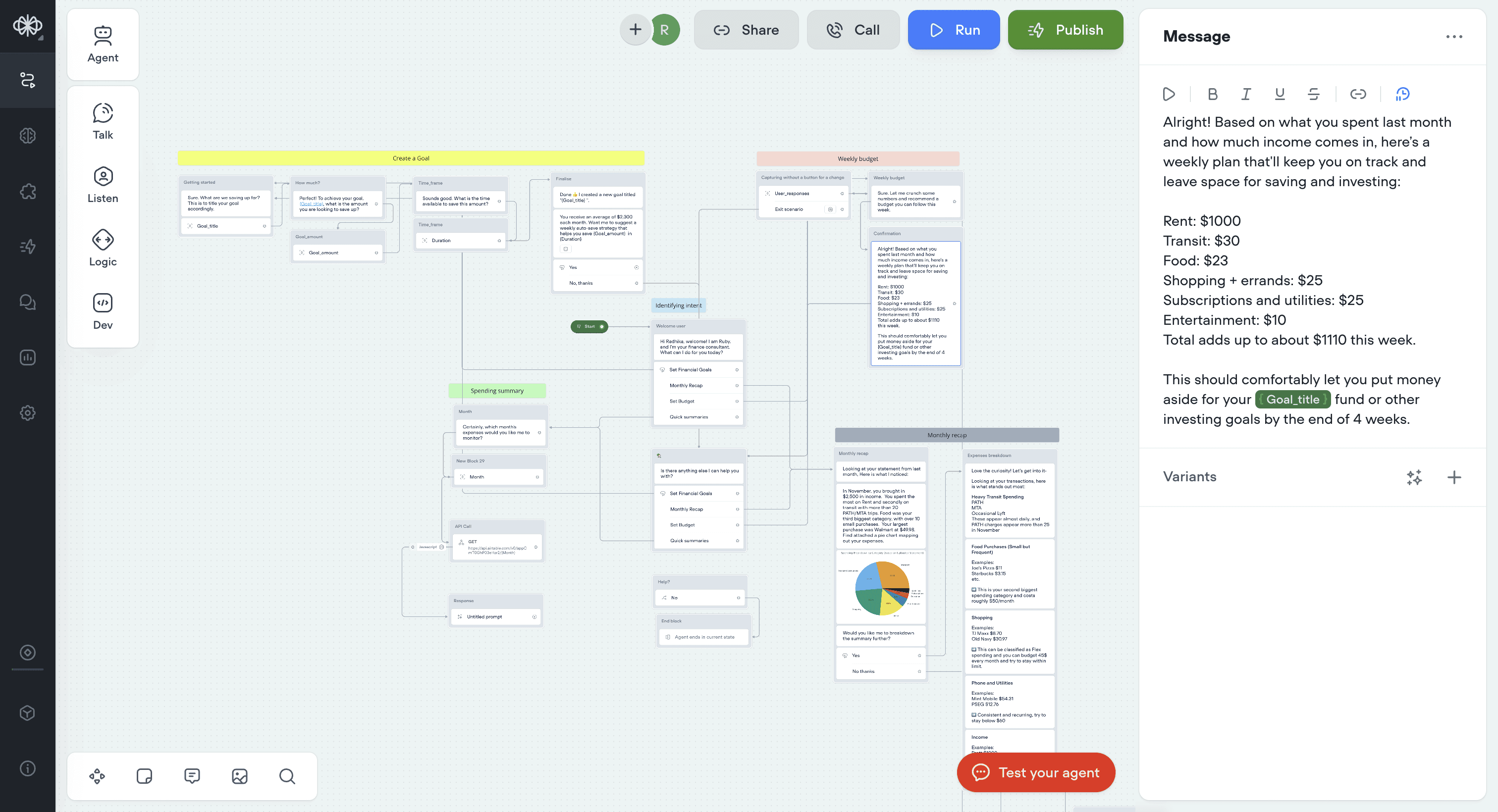
Voiceflow was a new tool I was exploring. In this build phase, I explore the different features it offers to achieve a desirable result.
To begin with, Identifying intent
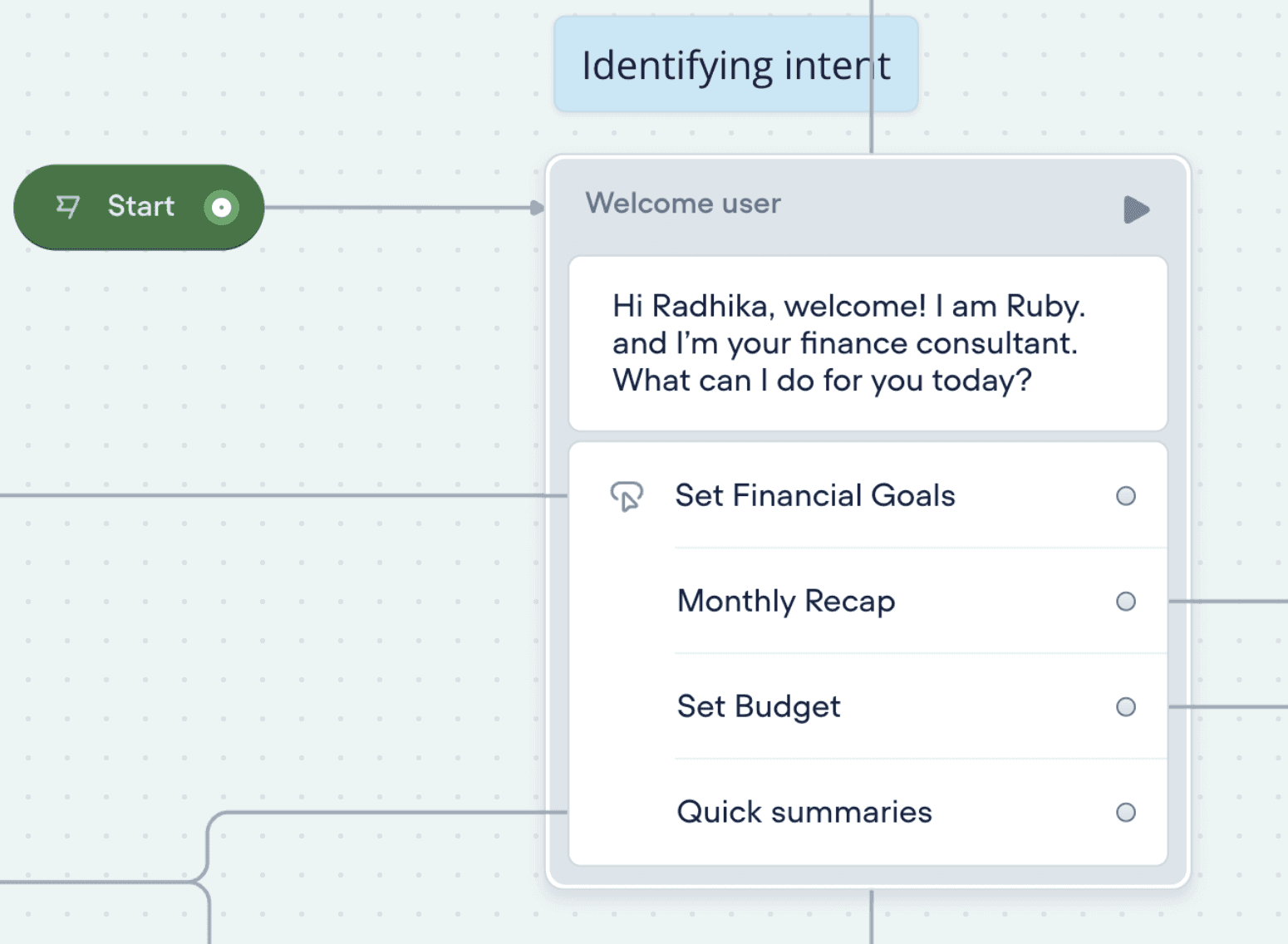
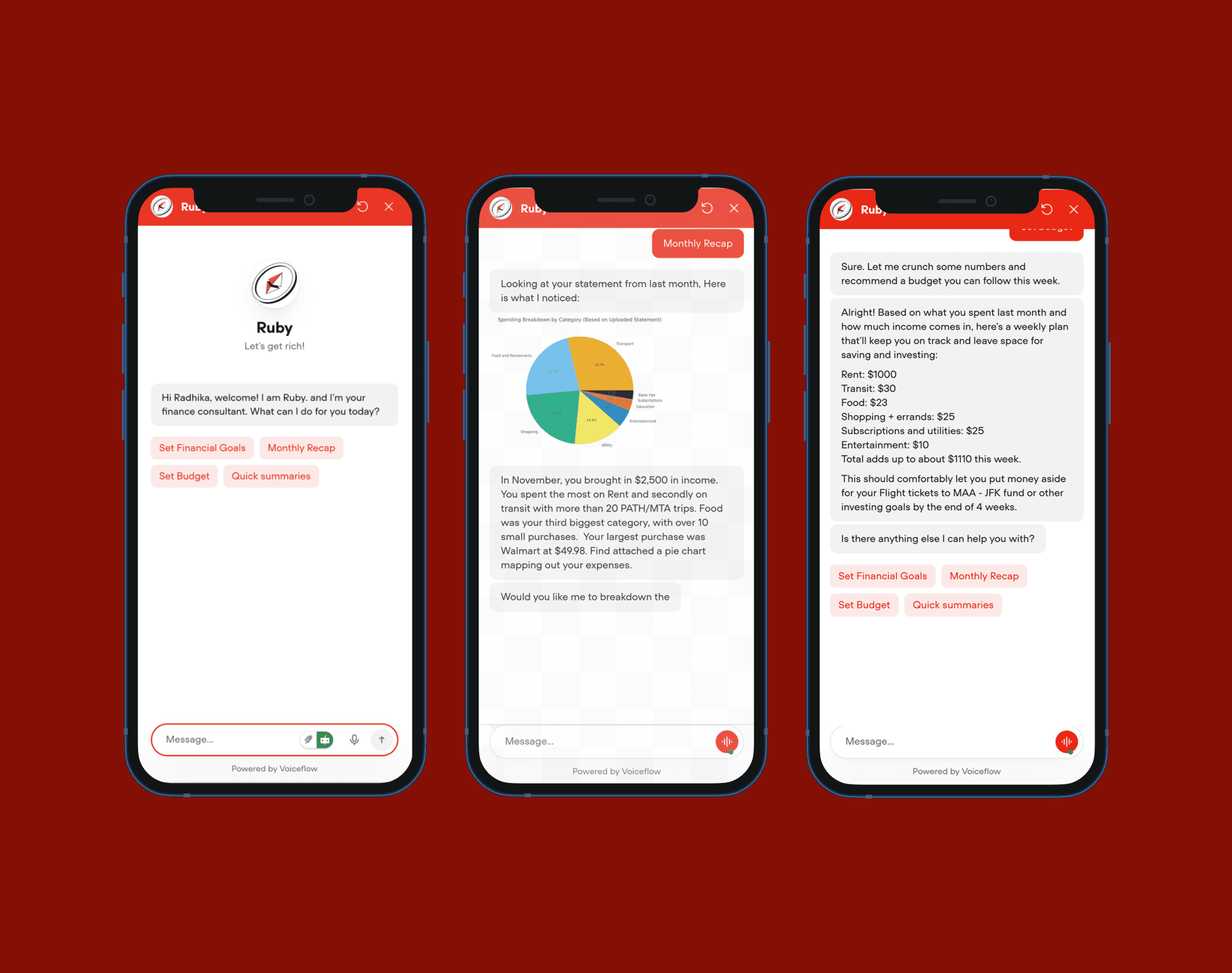
The welcome message is set up with 4 action buttons for users to enter the 4 fully built out paths.
Ruby in Action 🎬
Create a Goal
Observe how there 4 actionable buttons for 4 paths the user could take
Understanding monthly recaps
This conversation could get particularly long. So I have discussed ways to condense only important information in later sections.
Setting weekly budgets
This turned out to be the most useful feature with testers loving how it can help them spontaneously when they need to know "How much can I afford to eat out this week?"
And last but not least, Quick summaries
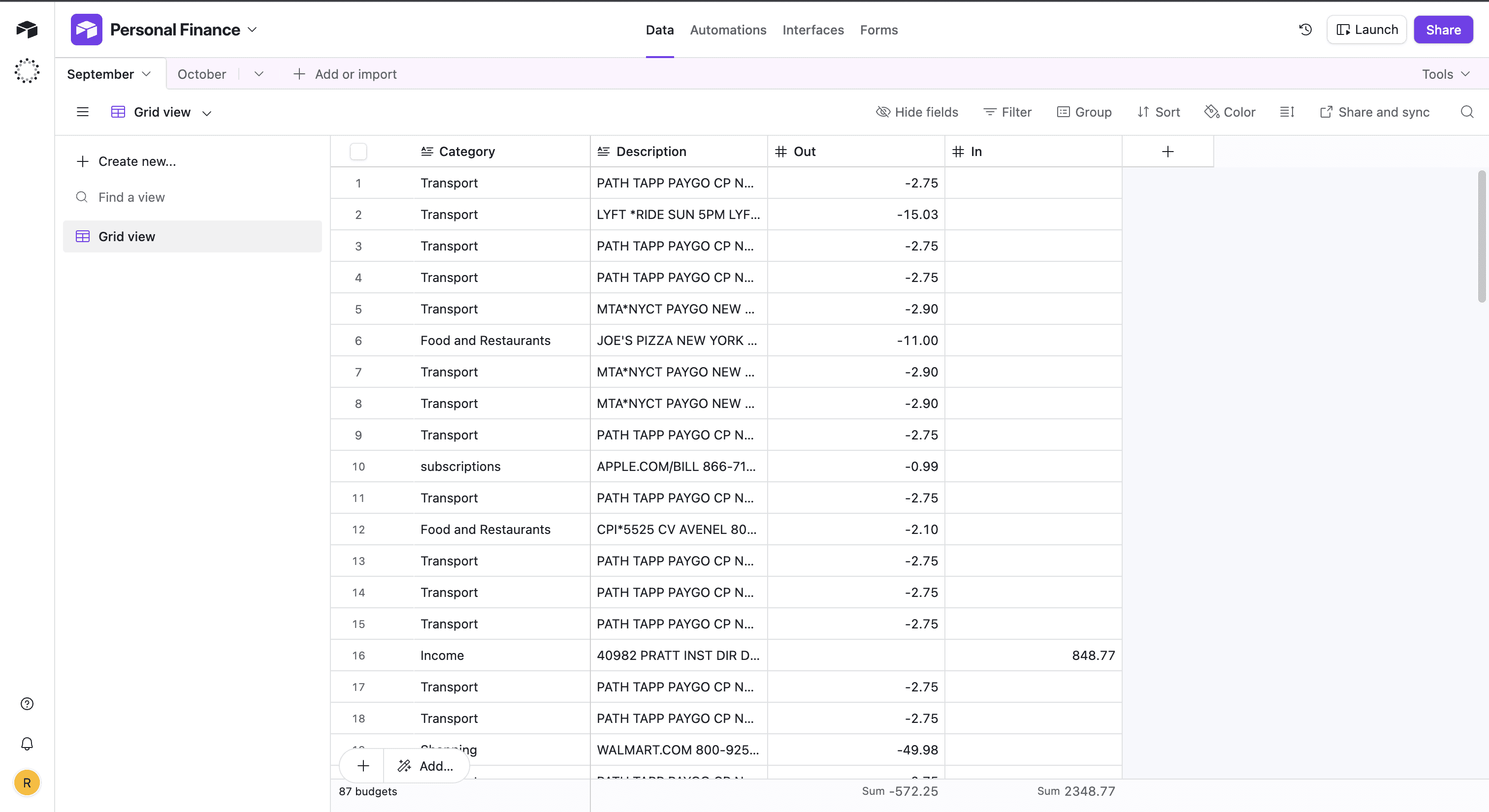
Setting up quick summaries was a fun challenge. Attached is the database in Airtable where I store the transactions.
Thought out error pathways
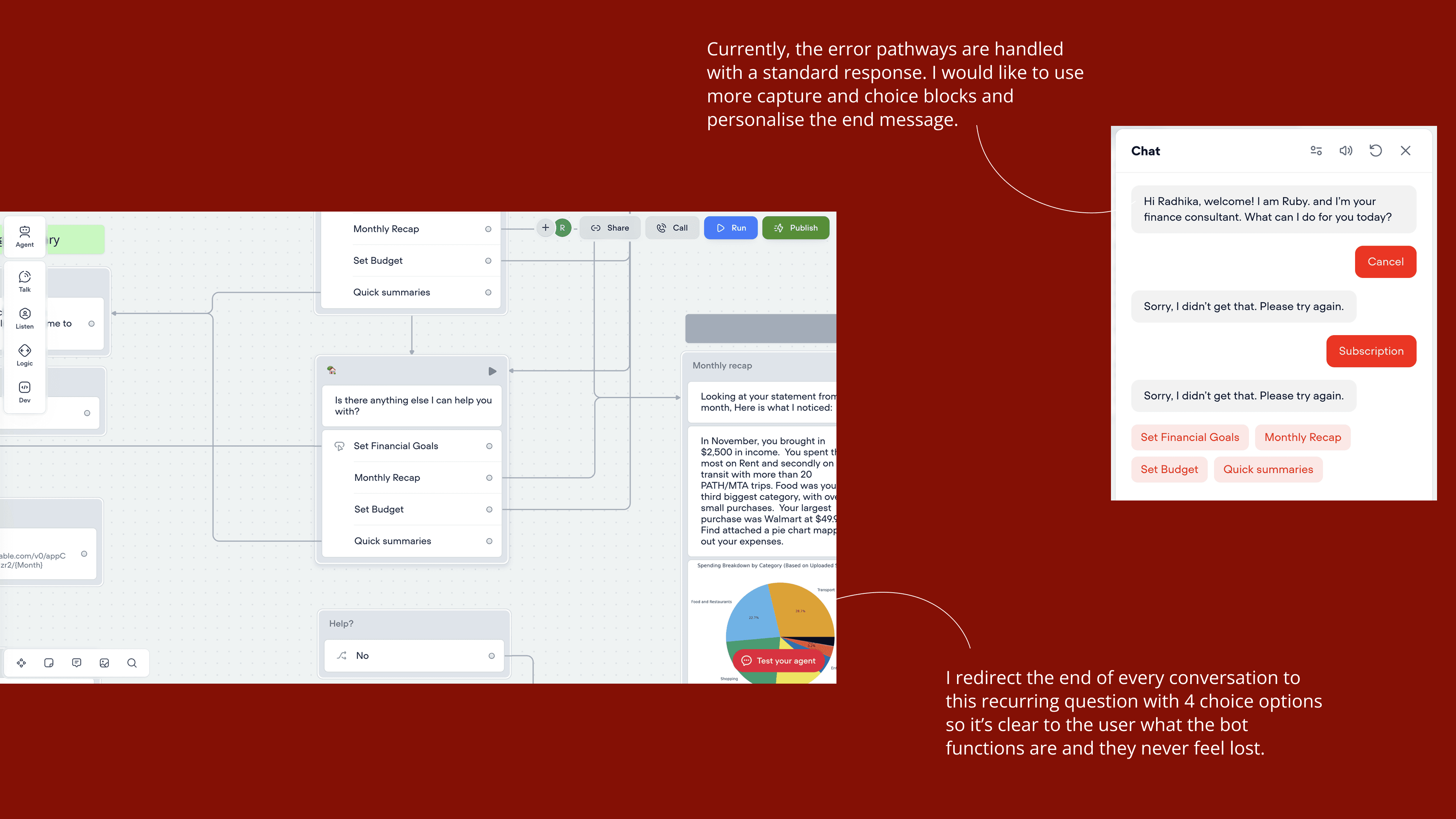
By using a grounding welcome message with four buttons for different paths, the users can always find their way even if they feel lost throughout the conversation. Buttons and simple answers lead them back to the welcome message at all times!
Some things went well, others needs improvement
✅ What went right
“This is something I would use. Given I trust the product and their safety precautions”
“Pick up the phone and ask: How much can I spend on eating out this week? I need this”
“Could be an integration on my budgeting app? I would expect it to know my credit score too so I can track that simultaneously”
❗️ Can be improved
“ I budget monthly, not weekly”
“I feel like the monthly recap is too long, maybe it can have an export PDF option”
“Language feels a little robotic in some places. For example: 'How much time do you have available to reach your goal' can be rephrased"
~ Thanks for reading, 👋 Until next time~
🔒 Entire Design Process
I discuss the juicy details of the design processes and many iterations in interviews and 1:1 chats. Feel free to reach out if you would like to know more. Excited to talk soon 👋